From rambling voice notes to a journal you can revisit
Record one moment, check the organized entry, and revisit it by theme.

How to turn voice notes into entries you can revisit
You record a thought on the way home because you do not want to lose it. A week later, you remember that you said something worth keeping—but which recording was it? Listening through them all feels like another task.
A useful record needs to give you a way back. Let’s start with a small moment at work and follow it into a clear entry in EpicTopia, then find it again by theme.

1. Record what happened and why you want to remember it
You do not need a neat account of the whole day. Start with the bit still on your mind: a conversation, an interruption, or something that finally went a little better. Say what happened and add enough context that you will know what you meant next month.
Take this everyday example: someone keeps checking messages while preparing a presentation. After lunch, they put the phone away, focus for twenty minutes, and finish the outline. They feel a little calmer and want to try it again tomorrow.
2. Let EpicTopia organize your recording into an entry
After you record a voice entry in EpicTopia, the app uploads and transcribes the audio, organizes the content, and matches it to a theme. Let the entry finish processing before reading it. If talking is inconvenient, you can write instead.
The moment becomes an entry titled “Focus Session for Presentation Outline.” Here is the text visible in the app:
I felt distracted at work today. I kept checking messages while preparing a presentation. After lunch, I put my phone away and worked for 20 minutes without interruptions. I felt calmer and finished the outline. Tomorrow, I want to try another short focus session before opening my messages.
There is a title to recognize later, and Signals such as “Calm” and “finished the outline.” Take a moment to check the result: is that what you meant? Pay particular attention to names, numbers, and feelings. The “20 min” here is the focus activity, not the length of the recording or the processing time.
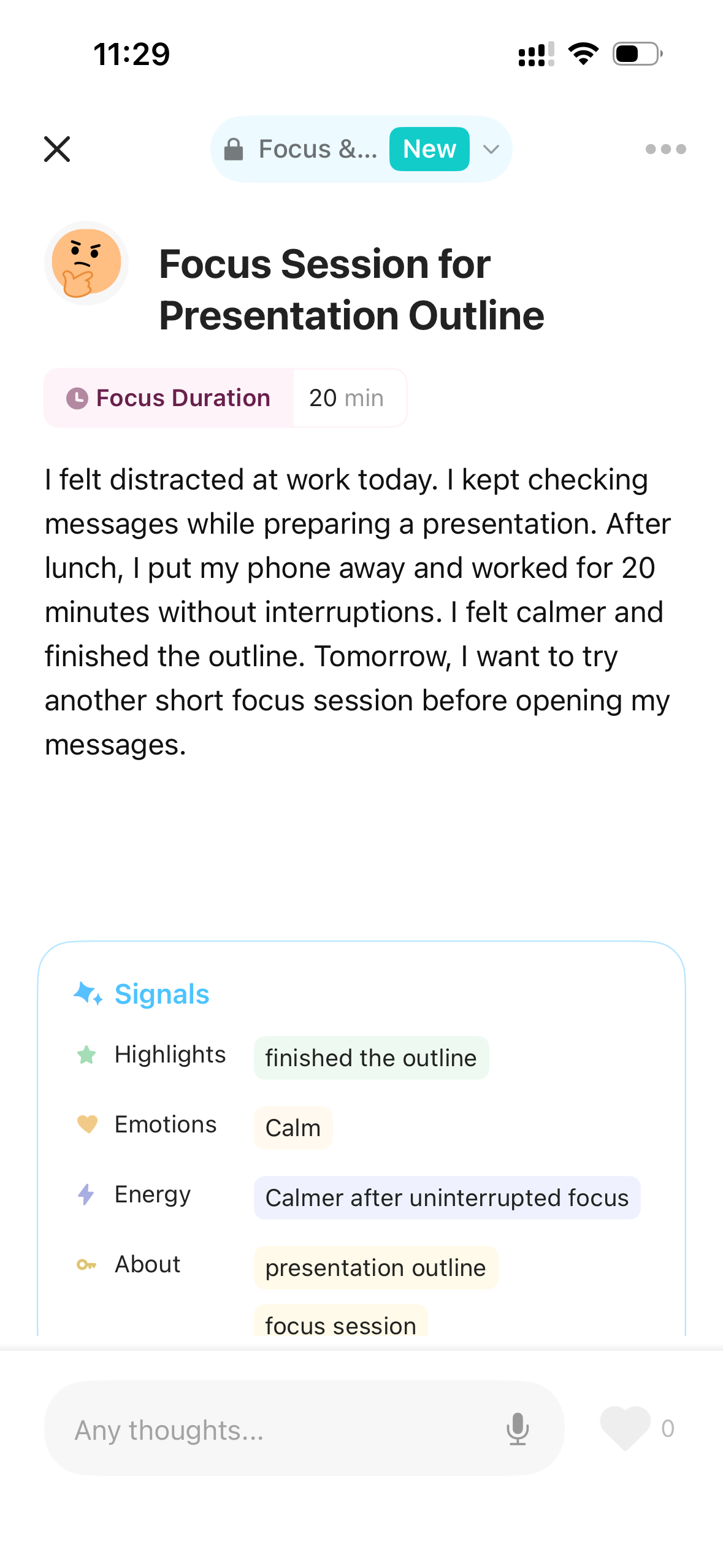
The generated entry: title, body, and Signals.
Read the insight and comment on this entry
The entry also includes “A few insights,” an AI reflection on what you recorded, and a comment from Epico. In this example, the reflection connects putting the phone away with feeling calmer and finishing the outline. Epico’s comment responds to that experience and encourages another short focus session. Both relate to this entry; they are separate from patterns drawn across multiple entries.
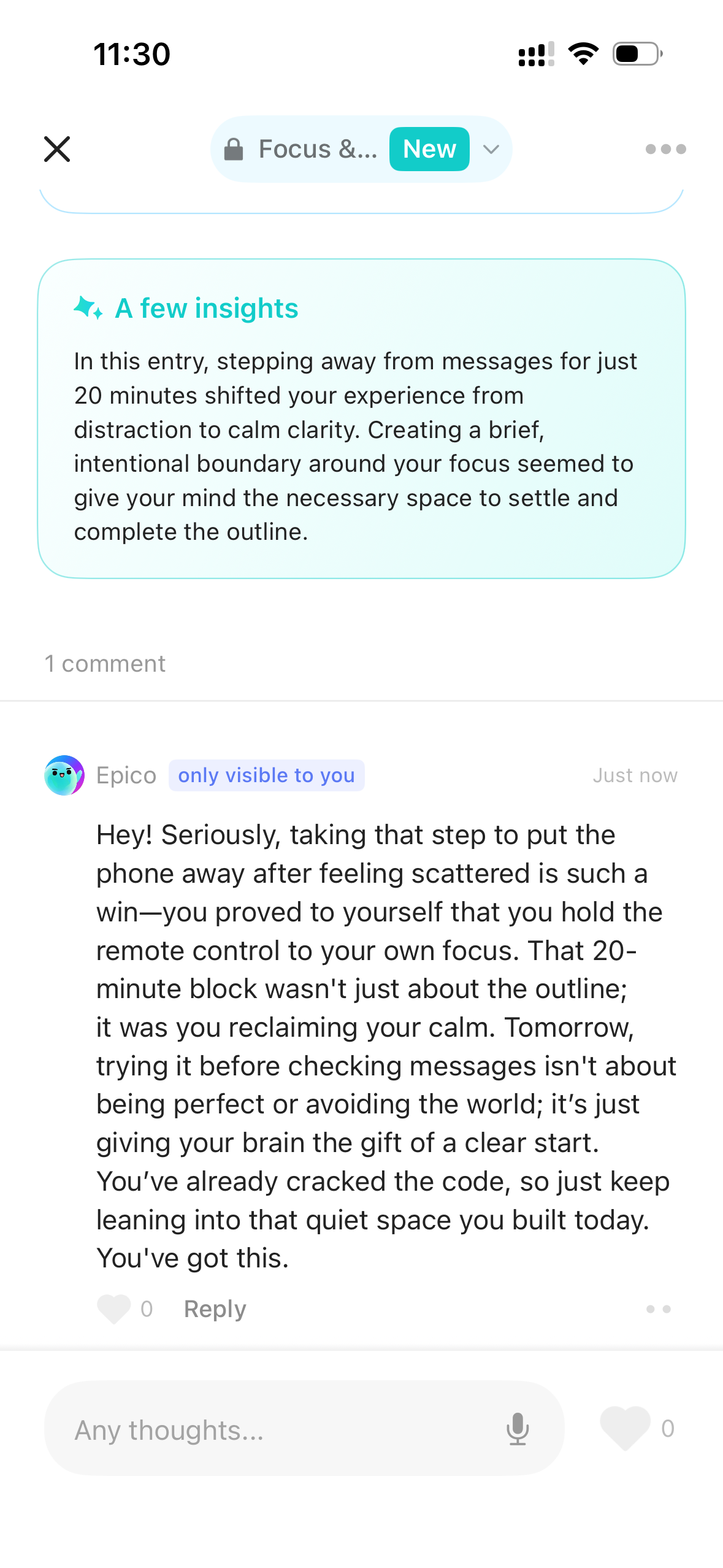
An AI insight and Epico’s comment on the same entry.
3. Find and reread related entries in a theme timeline
Later, you may remember the topic more easily than the date: “That day I finally got some focused work done.” This entry appears in the “Focus & Productivity” theme’s Days timeline. Open the theme, find the entry, and read what was happening around that moment.
Now the moment has somewhere to belong. When you return to that theme, you can read it alongside other related entries. Perhaps it still feels useful; perhaps you see it differently. You have the words there to revisit, rather than having to reconstruct the day from memory.
Looking through related entries is different from an AI pattern insight. EpicTopia can also identify patterns across entries and show their supporting records. The companion guide takes a closer look at those connections.
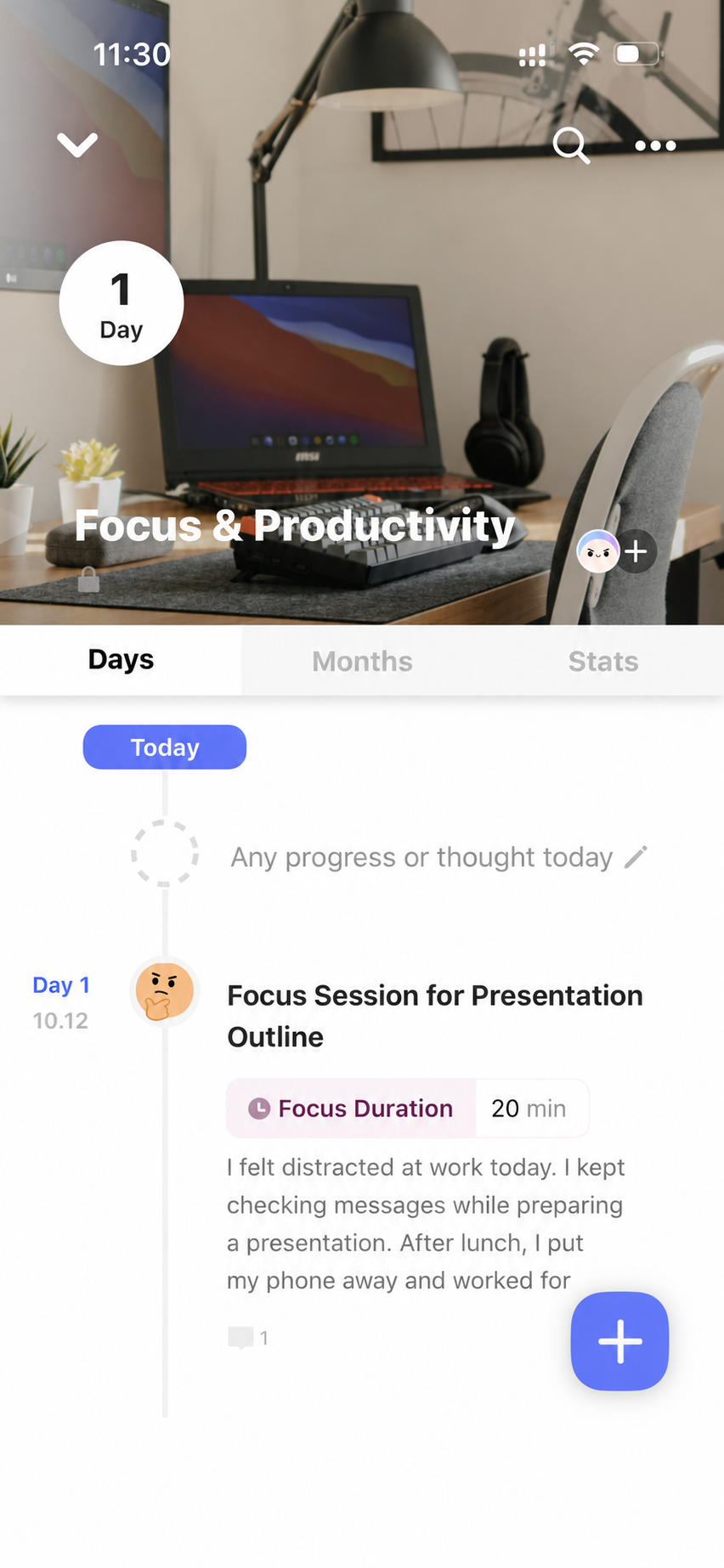
Find the same entry in the Focus & Productivity theme’s Days timeline.
How to start with a few minutes—and what to say
Only have a few minutes? Keep one moment, not the whole day. Say what happened and what you want to remember, then glance over the entry. A few minutes is your own starting point, not a promise about processing time.
Nothing to say? Try: “What stayed on my mind today?” or “What would I like to remember about this moment?” One answer is enough. These are suggestions from this guide, not built-in app prompts.
Try it: record one moment, review the entry, and find it by theme
You do not have to make the day sound more interesting than it was. Capture a moment, check that the entry says what you meant, and give yourself a way to return to it by theme. Something small today may be worth reading again later.
If you would like to try this workflow, download EpicTopia from the App Store and create an account in the app.